

Matching Minecraft Skins for Friends, Couples and Family
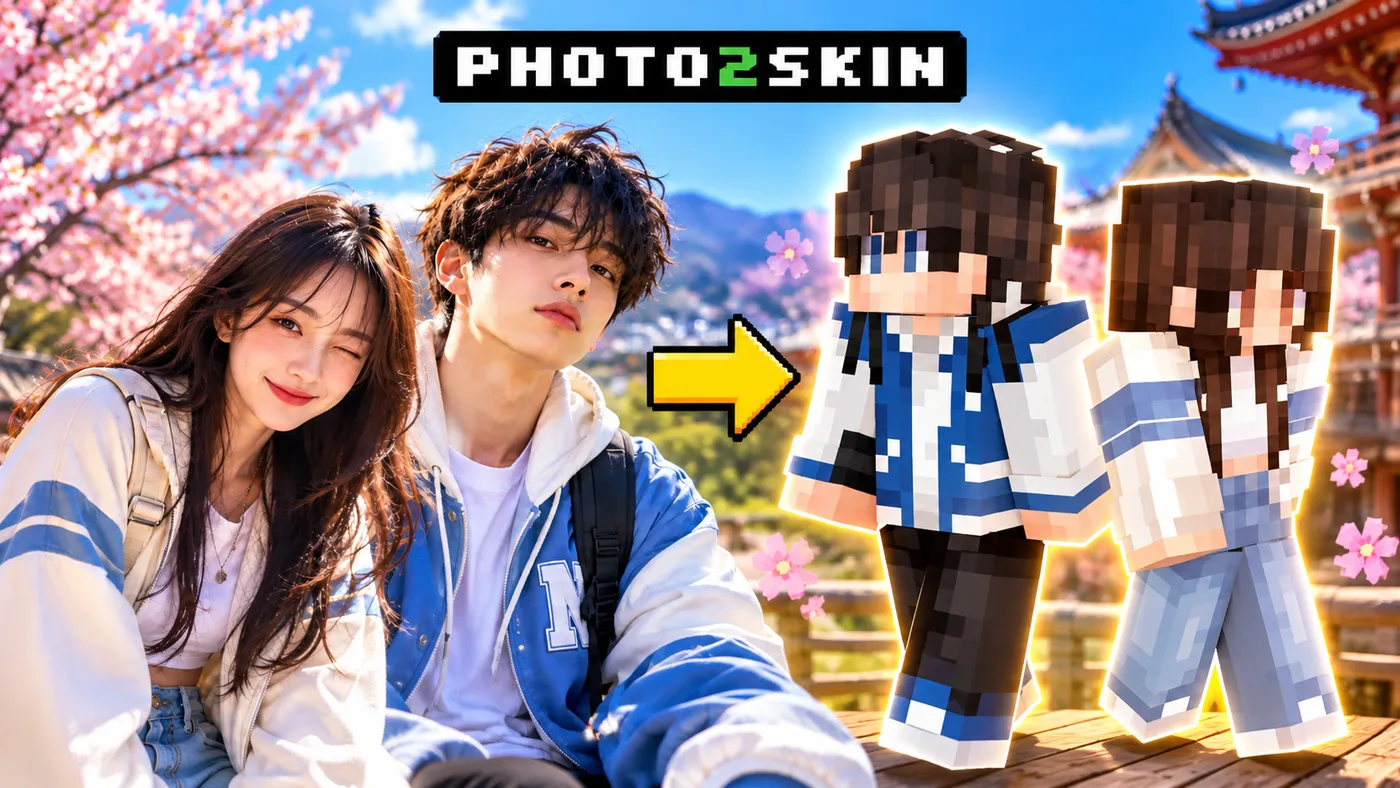
Matching Minecraft skins are a fun way to make your characters look like they belong together, whether you play with your best friend, partner, siblings or an entire group. Some players choose identical outfits in different colors, while others create matching characters with a shared theme, such as fantasy warriors, animals or their favorite game characters.
But matching does not have to mean wearing exactly the same skin. You can create a Minecraft version of yourself and someone you know, keeping your individual hairstyles, clothing and personal details while giving both characters a coordinated look. With AI, you can even turn separate photos into playable Minecraft skins and build your own matching set without drawing every pixel manually.
Matching Minecraft Skins for Best Friends
Best friend skins work particularly well when the characters share one recognizable detail but still have their own personalities. Think of two friends wearing similar jackets in different colors, matching hoodies with different hairstyles, or characters designed around opposite elements such as fire and ice.
Here are four ideas worth trying:
- Matching hoodies: Keep the same hoodie design but choose different colors, hairstyles and shoes.
- Opposite colors: Use black and white, red and blue, or another contrasting combination that makes both characters stand out.
- Adventure partners: Create two explorers with matching backpacks, jackets or outdoor clothing.
- Fantasy teammates: Dress one character as a knight and the other as a ranger, mage or warrior from the same fictional world.
For a more personal result, start with actual photos of you and your friend. You can preserve your different appearances while choosing a common outfit theme. The finished skins will look connected without becoming identical copies.
Couple Minecraft Skins for Boyfriend and Girlfriend
Couple Minecraft skins can be romantic, funny or surprisingly subtle. You do not need matching hearts on your shirts or identical costumes. Sometimes two characters wearing similar everyday outfits are enough to make a convincing pair.
Popular couple skin ideas include:
- Coordinated casual outfits: Similar jackets, sneakers or hoodies in complementary colors.
- Seasonal couple skins: Winter sweaters, summer outfits or spring clothing with matching details.
- Fantasy couples: A king and queen, two adventurers or characters from the same fictional kingdom.
- Real-life couple skins: Minecraft versions of you and your partner, based on your actual photos.
Matching Couple Minecraft Skins
This example uses two separate portraits of a young couple outdoors during cherry blossom season. Both wear blue-and-white casual clothing, but their outfits, hairstyles and accessories remain different. That gives the pair a consistent spring look without making them appear identical.
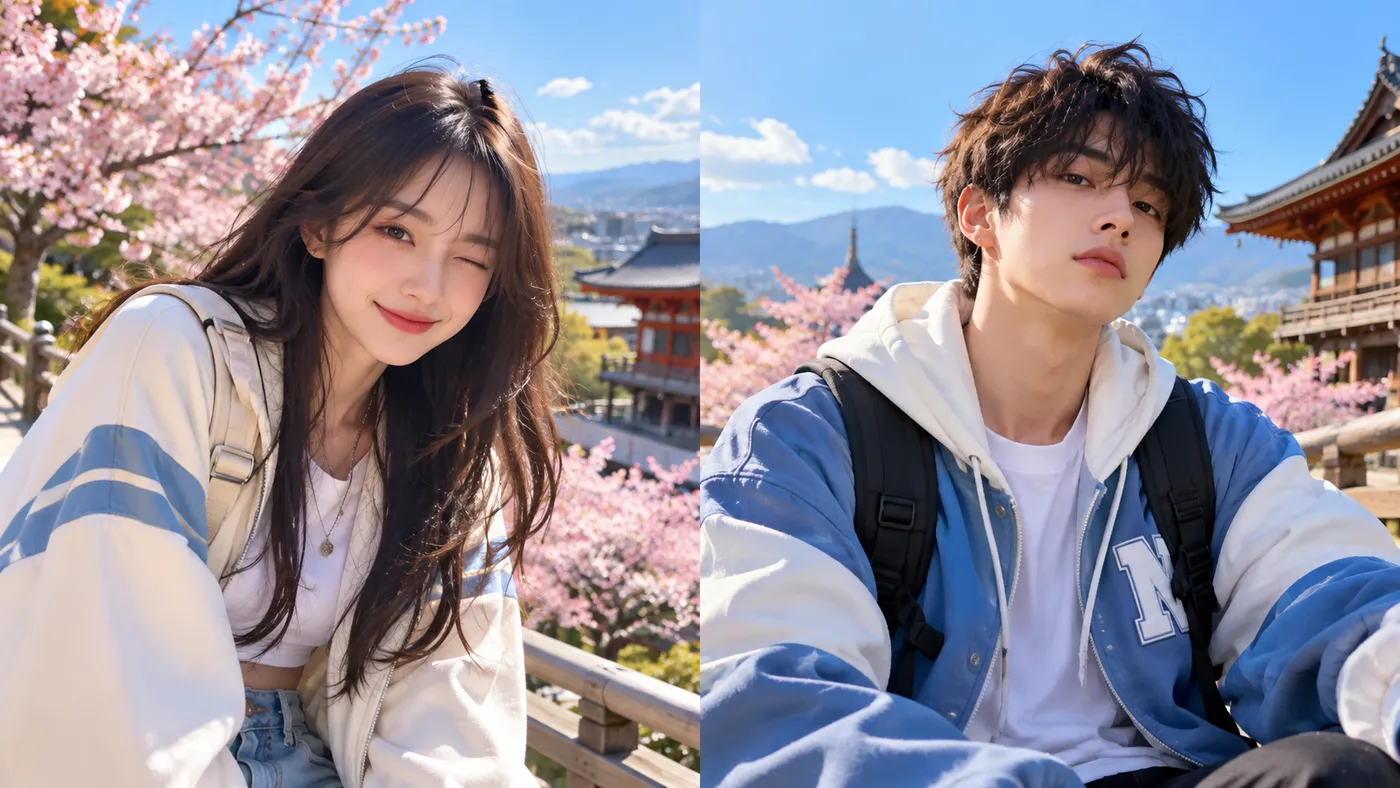
When converting these photos into Minecraft skins, the important details are the hair, blue-and-white clothing, backpack straps and overall color combination. Both skins should look like individual people who happen to share a similar style.
Want matching skins of you and your partner? Create your couple Minecraft skins from photos.
Matching Minecraft Skins for Two Players
Duo Minecraft skins are especially good for players who want to look like a team during adventures, PvP sessions, roleplay or multiplayer videos. Unlike ordinary matching outfits, duo skins can represent two different roles within the same story.
For example, one player could be a heavily armored warrior while the other wears lighter equipment. You could also create a king and his royal guard, two rival knights, a wizard and an apprentice, or characters from opposing kingdoms.
Spartan Warrior Friends
These two characters share an ancient Greek-inspired setting but have noticeably different outfits. One wears bright ceremonial armor, a golden crown and a red cape. The other has darker battle armor and a helmet with a red crest.
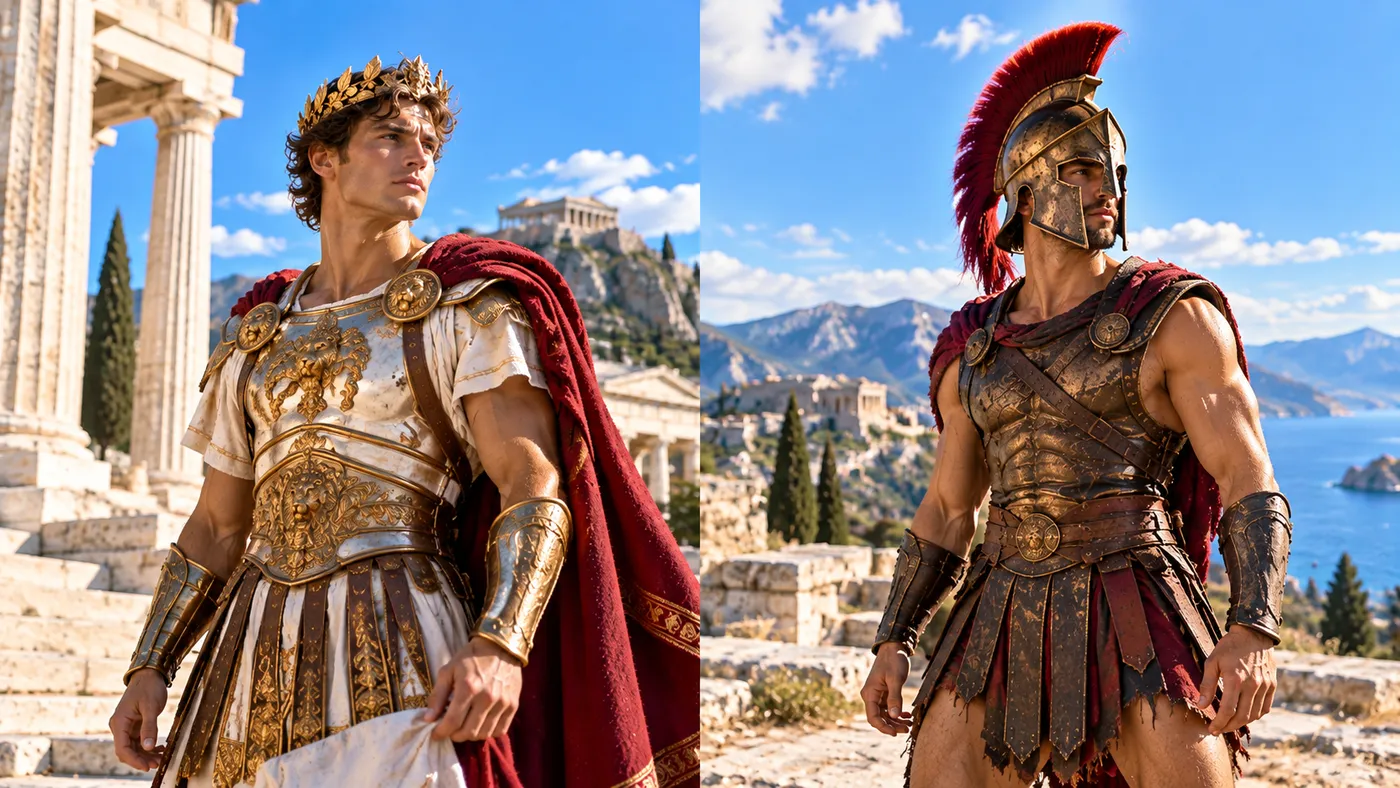
This is a good example of matching through a shared world rather than identical clothing. The gold, bronze and red details connect both characters, while their different armor designs make it easy to recognize each player.
For your own duo, you could use two costume photos, character portraits or reference images. Image to Minecraft Skin is particularly useful when your references are illustrations or digital character artwork rather than photographs of real people.
Have two characters you want to bring into Minecraft? Turn their images into playable Minecraft skins.
Matching Minecraft Skins for 3 Friends or More
Matching Minecraft skins for 3 friends need a slightly different approach. With two players, almost any shared detail can make a pair look coordinated. With three or more, a clear group theme helps everyone feel like part of the same squad.
One easy approach is to choose a common character design and give each player a different outfit, accessory or color. Another is to assign everyone a role within a team.
- Three matching hoodies: The same design in red, blue and green.
- Mob squad: Three different Minecraft-inspired creatures with coordinated clothing.
- Fantasy party: A warrior, archer and mage from the same adventure team.
- Animal characters: Three ducks, cats or other animals with individual costumes.
Three Matching Minecraft Skins for YouTube Video
For something less ordinary, imagine three yellow duck characters dressed like a multiplayer game squad. One wears a red cap and sporty streetwear, another has a crown and royal blue clothing, while the third looks like an explorer with a bucket hat and goggles.
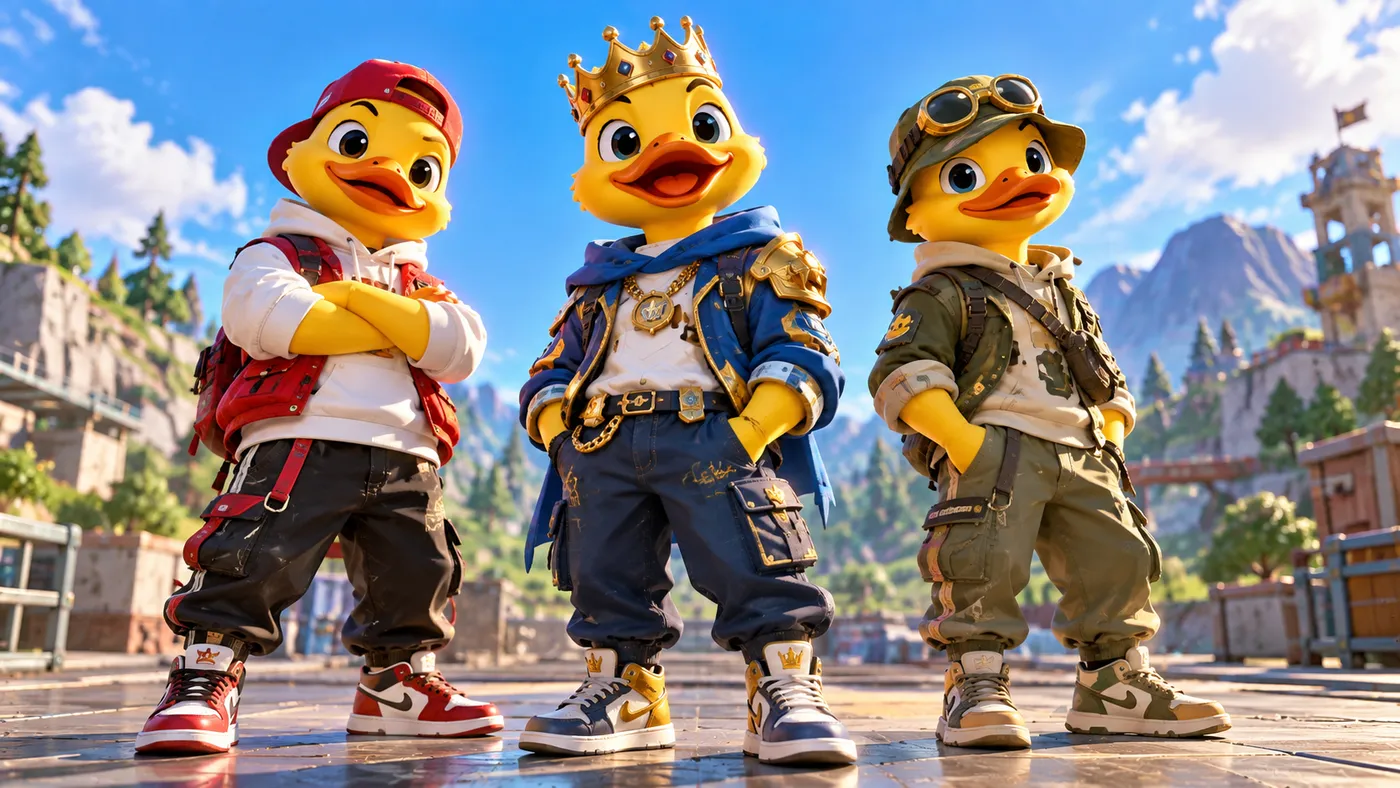
All three share the same bright yellow duck appearance, but each has a completely different personality. This is a useful trick for any group: keep one element consistent and make everything else unique to the player.
For illustrated characters like these, you can use the Image to Minecraft Skin generator. You can also experiment with the Text to Minecraft Skin tool if you want to invent a character from a written description.
Creating a matching squad? Convert your character images into Minecraft skins and build a collection for the whole group.
Matching Family Minecraft Skins for Parents and Kids
Family Minecraft skins can be a little more personal than ordinary matching outfits. Instead of making every family member wear the same costume, you can recreate how everyone actually looks, then use clothing colors or small accessories to connect the characters.
This works for parents and children, siblings, cousins or an entire family playing on the same Minecraft server. The goal is to make everyone recognizable while keeping the group visually consistent.
Father and Son Minecraft Skins
In this example, a father and son wear everyday streetwear in similar neutral colors. The son has a white hoodie, dark jacket, cargo pants and white sneakers. His father wears a black jacket, white hoodie, cargo pants and red sneakers, with gray hair, a beard and glasses.
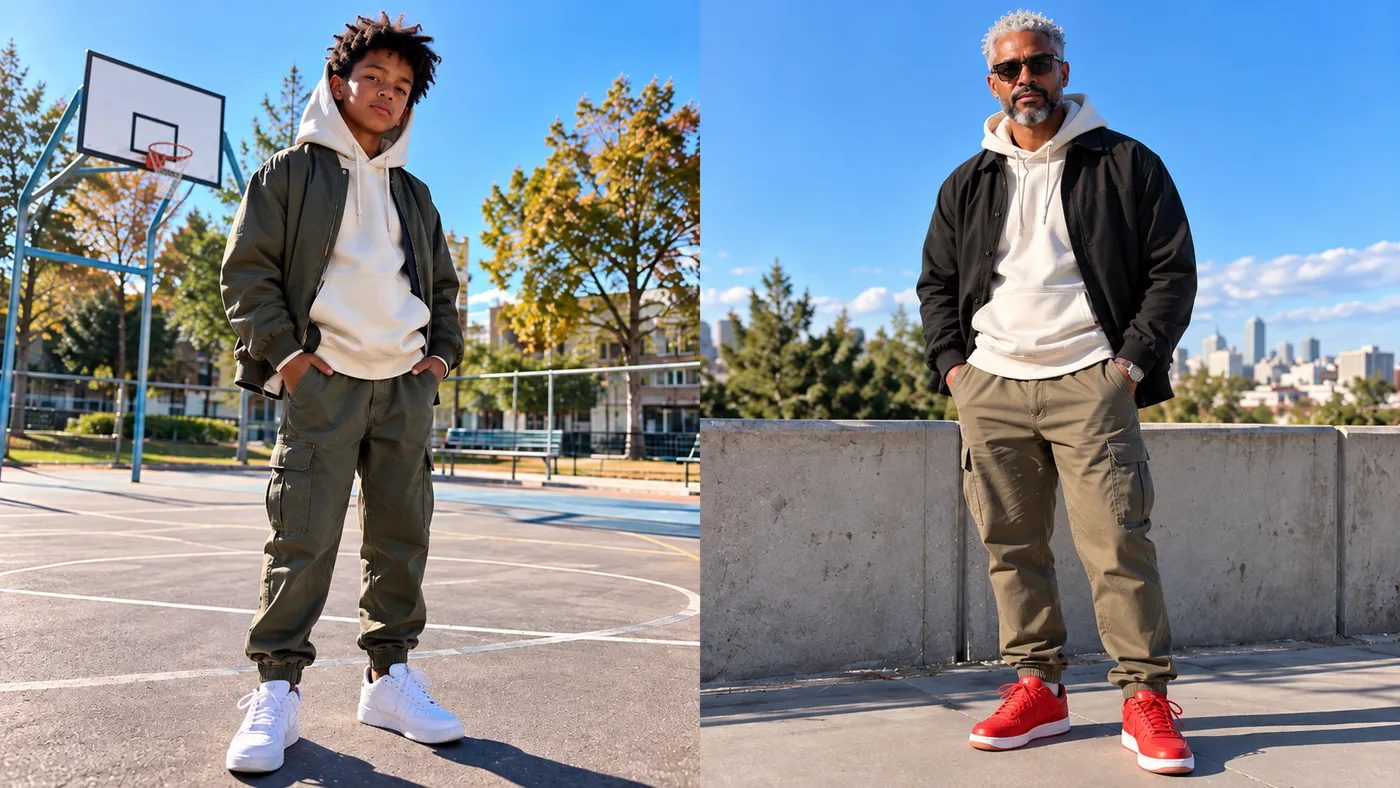
What makes these matching family skins interesting is the balance between shared and individual details. Their outfits have similar colors, but their shoes, hair and accessories are different. Those differences matter because they help each family member look like themselves rather than a duplicate of someone else.
Want to play Minecraft as your whole family? Create individual Minecraft skins from family photos and give everyone their own character.
How to Make Matching Minecraft Skins From Photos
You do not need a single group photo to create matching Minecraft skins. In fact, separate photos can make it easier to capture each person's appearance, especially when everyone has different hairstyles, clothing and accessories.
- Choose a shared theme. Decide whether your skins should have matching colors, similar outfits or a completely themed design.
- Prepare a photo of each person. Clear photos with visible hair and clothing work best. Try to use photos with similar lighting when possible.
- Open Photo2Skin. Visit the Photo to Minecraft Skin generator and upload the first photo.
- Generate the first skin. Preview the Minecraft character and check whether the important appearance details were captured.
- Repeat for everyone else. Generate a separate skin for each friend, partner or family member.
- Make final adjustments. Use the Minecraft Skin Editor to adjust colors, clothing details or accessories if you want the skins to match more closely.
- Download your skins. Save each completed Minecraft skin as a PNG file and import it into the game.
You can use the same general workflow for two people or an entire group. The difference is simply how closely you want the final characters to match.
Should Matching Minecraft Skins Be Identical?
Not necessarily. Identical skins can be funny for a coordinated team, especially if everyone wants to look like the same mob or character. But they can also make it harder to recognize individual players during multiplayer sessions.
For couples and best friends, matching colors or outfits with different faces and hairstyles often work better. For larger groups, you can assign each person a color or role while keeping the same basic theme.
If you are using real photos, try to preserve the details that make each person recognizable. Matching skins should feel connected, not interchangeable.
Where Can You Use Matching Minecraft Skins?
Matching skins are particularly popular in multiplayer settings where people regularly see their characters together. They also make screenshots and short videos easier to recognize as a shared project.
- Survival servers: Give your friends or family a consistent team appearance.
- Minecraft roleplay: Create characters from the same kingdom, school, family or fictional universe.
- PvP and minigames: Coordinate your outfits while keeping each player's skin recognizable.
- TikTok and YouTube: Show the original photos, reveal the generated skins and record the characters together in Minecraft.
- Couple screenshots: Use coordinated skins for in-game photos, builds and shared adventures.
Matching Minecraft skins are still individual character files. Each player downloads and equips their own skin, so everyone can join the same world wearing the design created for them.
Matching Minecraft Skins FAQ
How do you make matching Minecraft skins?
Start by choosing a shared theme, such as matching clothing colors, coordinated outfits or characters from the same fictional world. You can create each skin manually or generate individual skins from photos using Photo2Skin. Afterward, adjust any details you want to match and download the finished PNG files.
Can I make matching Minecraft skins for me and my best friend?
Yes. You can upload a separate photo of yourself and your best friend, generate a Minecraft skin for each person and customize the clothing or colors to make them match. Both characters can keep their individual hairstyles and appearance.
How can I make couple Minecraft skins from real photos?
Use the Photo to Minecraft Skin tool to generate a skin from each person's photo. For a coordinated couple look, choose photos with similar clothing colors or edit the generated skins afterward to add matching details.
What are good matching Minecraft skins for 3 friends?
Good ideas include three matching hoodies in different colors, a fantasy team with three different roles, a group of animal characters or three skins based on the same outfit theme. Each player can have a unique appearance while sharing a recognizable group design.
Can I make matching Minecraft skins for my whole family?
Yes. You can create individual Minecraft skins for parents, children and siblings using separate photos. Similar clothing colors or small shared accessories can help connect the designs while keeping each family member recognizable.
Can AI create matching Minecraft skins?
Yes. AI tools such as Photo2Skin can turn photos, illustrations or written character ideas into Minecraft skins. For a matching set, generate each character individually and use a consistent visual theme across the group.
Do matching Minecraft skins work in Java and Bedrock?
Standard 64×64 Minecraft skin PNGs can be used in Java Edition and on supported Bedrock platforms that allow custom skin imports. Some Bedrock platforms, particularly consoles, have restrictions on importing custom skins.
Can I edit matching Minecraft skins after generating them?
Yes. You can open the generated skins in the Photo2Skin Minecraft Skin Editor to adjust clothing colors, hairstyles, accessories and other pixel details. This is useful when you want multiple skins to share a more consistent appearance.