

How to Make a Halloween Minecraft Skin of Yourself
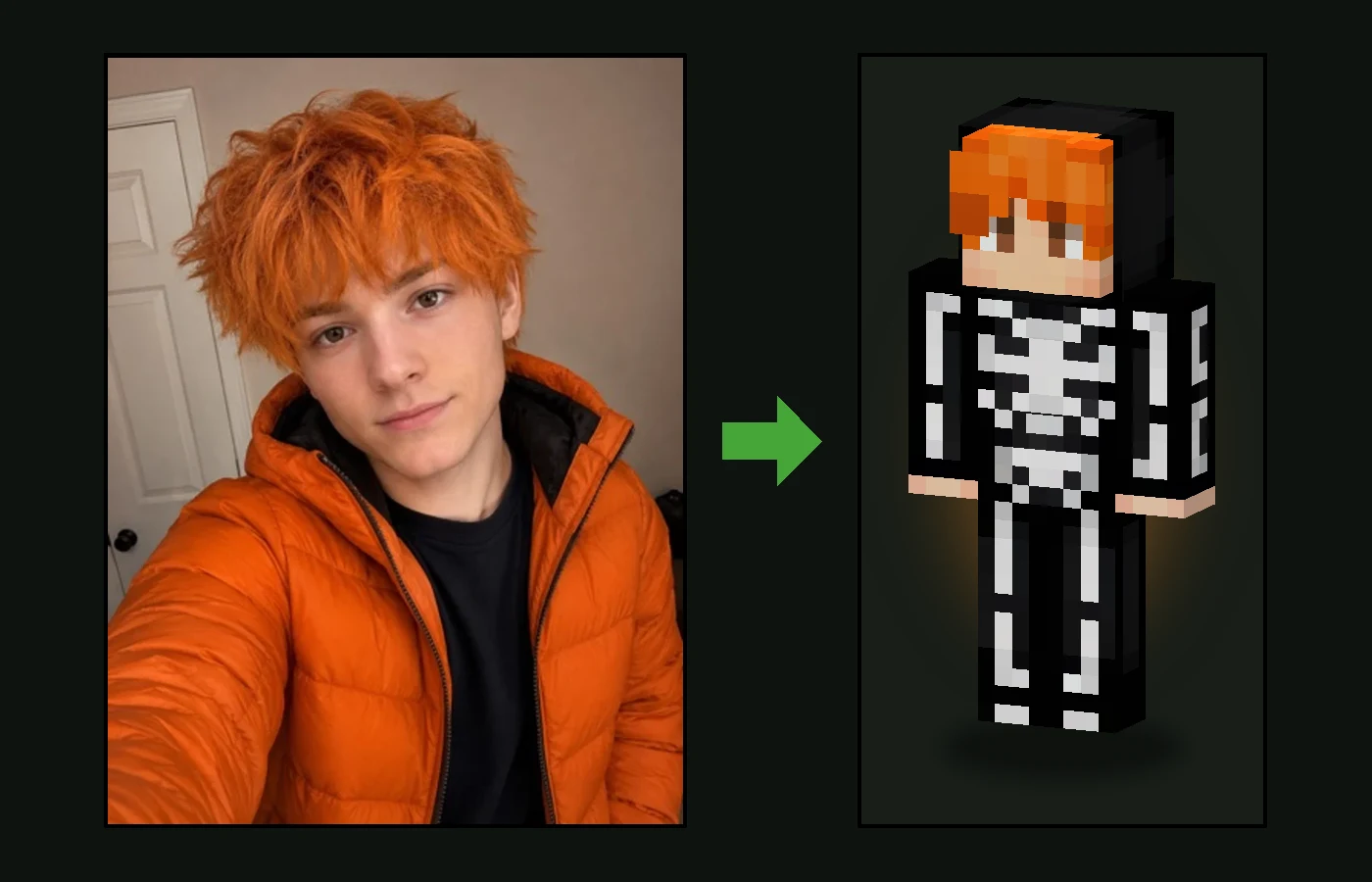
Halloween is the one night everyone gets to be someone else, and Minecraft is no exception. You can download a pumpkin head or a skeleton skin made for somebody else, or you can turn your own photo into a Halloween Minecraft skin that keeps your face and hair and puts you in a costume.
This guide shows how to do it in a couple of minutes with the Halloween skin maker, which costumes you can get, and how to get the best result from your photo.
How to Make a Halloween Minecraft Skin From Your Photo
- Choose a clear, front-facing photo where your face and hair are easy to see.
- Open the Halloween skin maker. The Halloween style is already selected.
- Upload the photo and press Generate. The skin is ready in about a minute.
- Spin the result in 3D to check the costume from the front, back and sides.
- Download the 64×64 PNG and set it as your skin in Minecraft Java or Bedrock.
Which Halloween Costumes You Can Get
The costumes come from a collection of popular Halloween skins made by the Minecraft community. Every skin gets a different one, matched to you, so two friends, or two tries from the same photo, rarely end up in the same outfit.
| Costume | What it looks like on your skin |
|---|---|
| Witch, sorcerer or mage | A long robe with glowing trims, sometimes a pointed hat on top of your hair |
| Skeleton suit | A black bodysuit with white bones, front and back |
| Pumpkin outfit | Jack-o’-lantern sweaters, dresses and suits in orange and black |
| Grim reaper or headless horseman | A tattered black robe or a dark riding coat, with your own head on top |
| Frankenstein | A lab coat or a patched monster jacket |
| Spooky streetwear | Halloween hoodies with bats, ghosts or skulls, and striped stockings |
Whatever the costume, your face stays yours: no mask, no pumpkin head and no face paint. That is what makes a skin of yourself different from a downloaded one. Friends recognise you straight away, even in a reaper’s robe.
Tips for the Best Halloween Skin
- Light the face. A Minecraft face is only 8×8 pixels, so a clear, evenly lit photo helps the AI keep your eyes and expression.
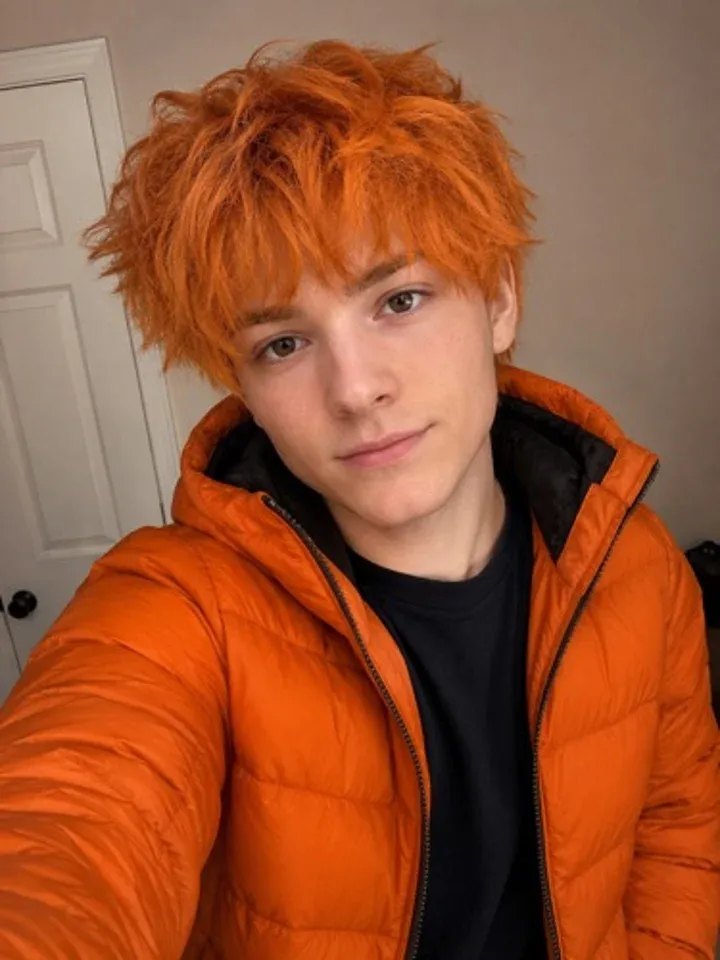
- Show your hair. Hairstyle and hair colour are kept, and they do most of the recognising.
- Any clothes are fine. Your outfit is replaced by the costume, so there is no need to dress up for the photo.
- A selfie is enough. You do not need a full-body photo. The AI designs the whole costume, from the hat down to the boots.
- Not your costume? Generate again for a different one.
Halloween Inside Minecraft
Minecraft has celebrated Halloween since the Pretty Scary Update, version 1.4.2 of Java Edition, released in October 2012. It added witches, bats, the Wither and mob heads, and it is still the most Halloween update the game has had.
Every year on October 31, zombies and skeletons in Java Edition can spawn wearing carved pumpkins and jack-o’-lanterns on their heads. You can make your own decorations too: use shears on a pumpkin to carve it, and combine a carved pumpkin with a torch to get a jack-o’-lantern.
Ideas for Your Halloween Skin
- Make a skin for every friend and take a group screenshot in front of a haunted house build.
- Line a path with jack-o’-lanterns and go trick-or-treating from base to base on your server.
- Host a costume contest: everyone generates once and the server votes on the best result.
- Open the result in the Minecraft skin editor to add a candy bucket, a bat or your own colours.
- Prefer something truly creepy without your face? Browse the free horror Minecraft skins in our library.
More Styles From One Photo
The same photo works in other styles too. Put yourself in A Minecraft Movie look, become a Minecraft Dungeons 2 hero, get ready for December with a Christmas Minecraft skin, or keep your own outfit with the classic photo to Minecraft skin generator.
Use Your Halloween Skin in Minecraft
The download is a standard 64×64 PNG, so it works as a custom skin in Minecraft Java Edition and Bedrock Edition, in single player and on servers. If you have never changed your skin before, follow our guide on how to import a custom Minecraft skin.
Halloween Minecraft Skin FAQ
Can I make a Halloween Minecraft skin of myself?
Yes. Upload a photo to the Halloween skin maker on Photo2Skin and the AI makes a real 64×64 Minecraft skin with your face and hair in a Halloween costume.
Can I choose the costume?
Not yet. Every skin gets a different costume from our collection of popular Halloween skins, matched to you. Generate again for another one, or change any detail yourself in the free Minecraft skin editor.
Will the skin still look like me?
Yes. Your face, hairstyle and hair colour come from your photo and stay visible. The costume never covers your face with a mask, a pumpkin head or face paint.
Is it scary or gory?
No. The costumes are spooky but never gory: no blood and no weapons, so they suit players of every age.
Does Minecraft do anything special on Halloween?
Yes. On October 31, zombies and skeletons in Minecraft Java Edition can spawn wearing carved pumpkins and jack-o’-lanterns on their heads. Witches, bats and the Wither all arrived in the Pretty Scary Update, version 1.4.2, in October 2012.
Does it work in Minecraft Java and Bedrock?
Yes. The skin is a standard 64×64 PNG that works in Minecraft Java Edition and Bedrock Edition, in single player and on servers.