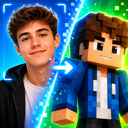

Update Log: We Enhanced Our AI Model for 3D Minecraft Skins
As you may already know, Photo2Skin runs the most advanced AI Minecraft Skin Generator around. We have just rolled out a new update to the model behind it.
Nothing moved in the app. Same buttons, same price, same 64×64 PNG at the end. The difference is in the skins themselves: they look more like your photo, they hold their detail, the backs match the fronts. Here are real results from the new model in all four tools.
See the New AI Model in Every Skin Generator
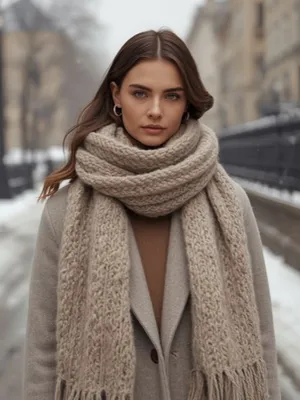
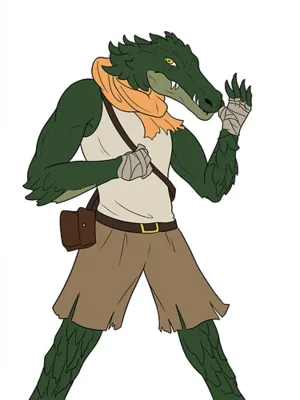
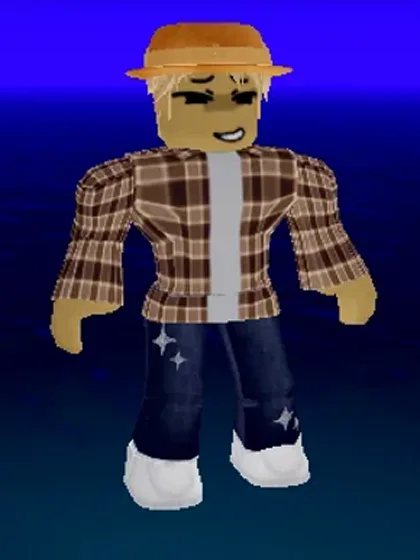
What Got Better in AI Minecraft Skin Generation
Six things you can see in the results.
- Closer likeness from photos. Hair shape, skin tone plus the colours and cut of your outfit carry across to the blocky character. A red puffer jacket comes back as a red puffer jacket rather than a plain red torso.
- Shading and detail got more accurate. Folds, seams, hair strands and the light and dark sides of a garment land where they belong, so the character reads as a real outfit instead of flat colour blocks.
- Backs are designed, not guessed. The character is now drawn from both sides before any texture is produced. Hoods, hair, backpack straps plus jacket prints all line up when you spin around.
- Detail survives the shrink. A skin is tiny: the whole character lives on a 64×64 grid where a face is about eight pixels wide. The new model was built specifically to protect detail at that scale, so patterns and colour boundaries land on clean pixel edges instead of blurring together.
- Structurally correct every time. The final file always sits on the proper UV template with a working overlay layer, so it wraps onto the character exactly as Minecraft expects.
- Consistent proportions. Heads, arms plus legs come back at the sizes Minecraft expects, so characters never arrive stretched or misaligned.
Why Minecraft Skins Are Hard for AI to Generate
It helps to know what makes a skin an unusual thing to generate compared with an ordinary picture.
A Minecraft skin is not a picture of a character. It is a texture map: a folded out sheet where every small rectangle paints one specific face of one specific cube, head front here, right leg side there. Put a pixel in the wrong rectangle and it lands on the wrong body part.
Asking one model to paint that sheet in a single pass runs into three walls at once.
- The canvas is tiny. At 64×64 there is no room to be approximately right. One pixel is a visible feature.
- The layout is unforgiving. The model has to respect an exact grid without ever seeing the character it is painting.
- The back is invisible. With a front facing photo as the reference, the back of the character has to be invented.
What's Different Behind the Scenes
Generation now runs in multiple passes instead of one. Your photo, sentence or Roblox avatar gets read carefully for outfit, hair and colour, with front and back planned together so the back stops being an afterthought. Every result is checked automatically before it reaches you — anything that doesn't hold up gets redone without you ever seeing the retry. And the file you get back always lands on the proper Minecraft UV template with a working overlay layer, wrapping onto the character exactly as Minecraft expects.
All of this runs behind one tap in the AI Minecraft skin generator.
Old Model vs New Model
| Previous model | New model | |
|---|---|---|
| How it is made | One-shot generation | Multi-stage generation with a review step |
| Back of the character | Derived from the front view | Designed alongside the front |
| Shading and detail | Simplified at skin size | Folds, seams plus light and shade preserved |
| Intermediate results | Passed straight through | Checked, then regenerated when needed |
| Template correctness | Handled by the model | Guaranteed every time |
| Output file | 64×64 PNG | 64×64 PNG, unchanged |
What Changed in Each Minecraft Skin Generator
- Photo to Skin. The biggest gain. Faces, hair plus outfits track your photo more closely. The back of your character matches the front.
- Image to Skin. Artwork, renders plus screenshots keep their colour blocking and their linework reads cleanly at skin size.
- Text to Skin. Prompts are read more literally. Named clothing items, colours plus accessories show up instead of being smoothed into a generic character.
- Convert Roblox Avatar into Minecraft Skin. Avatar outfits convert with their patterns intact. Adding a back screenshot as well as a front one gives the model real information for both sides.
- Skin editor. Unchanged. Still the right tool for finishing touches once your skin is generated.
How to Get the Best AI Minecraft Skin
The new model raises the floor. Your input still sets the ceiling.
- Use a clear, front facing photo with even lighting and your outfit visible.
- Name specifics in prompts. "Green hoodie, silver headphones, ripped jeans" works better than "cool gamer guy" because concrete items are what the model can draw.
- Give Roblox conversions both views when you can. A front plus a back screenshot removes all guesswork about the back of the outfit.
- Run it twice if you are close. Generation is creative, so a second run explores a different interpretation.
AI Minecraft Skin Generator FAQ
Do I need to do anything to get the new AI model?
No. The upgrade runs on our side, so every new generation already uses it. There is no setting to switch on and no separate mode to pick.
Will my existing Minecraft skins change?
No. Skins you already generated are saved files that stay exactly as they are. The improvements apply to new generations. To get an upgraded version of an older skin, run the same photo or prompt again.
Does the better AI cost more credits?
No. A photo or text skin costs the same as before. The extra work happens inside a single generation.
Why do two runs of the same photo give different skins?
Skin generation is creative rather than a fixed conversion, so details like sleeve length or hair shape vary between runs. If a result is close, generating again is cheap. You can also fix individual pixels in the editor.
Does the update apply to text prompts and Roblox avatars too?
Yes. Photo to Skin, Image to Skin, Text to Skin plus Roblox to Skin all run through the same upgraded generation.
Are the results still real 64×64 skins for Java and Bedrock?
Yes. The output is still a standard 64×64 PNG on the Minecraft UV template with a working overlay layer. It uploads to Java at minecraft.net and imports into Bedrock through the in game Dressing Room.
Summary
Making a good Minecraft skin with AI is really three jobs: understand the character, draw it well, land it correctly on a 64×64 template. Building it in multiple passes with an automatic quality check in between is why the new results are sharper, why the backs match the fronts, why the shading finally looks right.
Nothing to enable and nothing to relearn. Your next generation already uses it. Make a skin then see the difference on your own character.