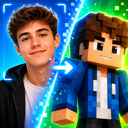

AI Minecraft Skins: 24 Free Skins to Download
Looking for an AI Minecraft skin you can actually wear? Every design below was generated with AI and is a real, playable 64×64 PNG - not a picture that merely looks like a Minecraft character. Drag any preview to see the back and sides, then download your favorite free.
24 free AI-generated Minecraft skins
-
 Sci-fi
Cyber Explorer
Copper techwear, utility straps, and a visor built for the next biome.
Download PNG64×64 · Classic -
 Cottagecore
Mushroom Alchemist
A forest apothecary in mossy robes with a spotted mushroom cap.
Download PNG64×64 · Classic -
 Redstone
Redstone Engineer
Dark workshop gear lit by red circuitry and a single mechanical eye.
Download PNG64×64 · Classic -
 Fantasy
Royal Beekeeper
Ivory field clothes, honey-gold trim, and a crown fit for the hive.
Download PNG64×64 · Classic -
 Ocean
OceanDeep-Sea Warden
Abyssal armor traced with turquoise light from the ocean floor.
Download PNG64×64 · Classic -
 Magic
MagicWildflower Mage
Flower-crowned spellcaster robes with soft lilac and leafy details.
Download PNG64×64 · Classic -
 Cyberpunk
Neon Voidwalker
Black street armor cut through with electric blue and magenta light.
Download PNG64×64 · Classic
What makes these AI skins playable?
Plenty of tools can generate a polished picture of a blocky character. Minecraft cannot wear that picture. It needs an “unwrapped” texture: one tiny PNG with the face, torso, arms, and legs placed in exact positions. Minecraft’s own skin guide describes this as a flat image that the game turns back into a person-shaped skin.
Every download above is already mapped to that format. The gallery renders the actual PNG on a live 3D model, so the front, back, sleeves, and overlay are visible before you save it. No converter or manual pixel editing is required.
AI Minecraft skin generation is finally possible
Until recently, AI could make Minecraft-style character art, but it could not reliably make a skin file you could upload and wear. Turning a text prompt or a photo into the exact 64×64 layout that Minecraft expects is a different problem. Purpose-built AI skin generators can now do that, and the results are improving every day. Always check the 3D preview before downloading so you can confirm the front, back, and overlay all look right.
How to download and use an AI Minecraft skin
- Rotate the preview. Drag the character to inspect the back and sides.
- Download the PNG. Keep the file as-is; do not resize it, convert it to JPG, or send it through an app that compresses images.
- Choose the Classic model. These skins use 4-pixel-wide arms.
- Apply it in Minecraft. In Java, open the Launcher, choose Minecraft: Java Edition → Skins → New Skin, browse to the PNG, then Save & Use. In Bedrock on Windows or mobile, open Dressing Room → Edit Character → Classic Skins and import the PNG.
Custom PNG imports are not directly available on consoles. For the complete platform-by-platform walkthrough, see how to upload a custom Minecraft skin, or check the official Minecraft skin guide.
Make your own AI Minecraft skin
A pre-made skin is quick, but an AI generator is most useful when you want an original character. There are two good starting points:
- Text to Minecraft skin: describe a character that does not exist yet - an axolotl knight, a cherry-blossom witch, or your server’s new faction leader. A useful prompt names the character, outfit, two or three colors, and one memorable detail.
- Image to Minecraft skin: upload a clear photo when the skin should look like you, a friend, or a costume. A front-facing image with visible hair and clothing gives the AI the most useful detail.
Photo to Skin supports both paths: use the AI text-to-skin generator for an original idea, or Image to Minecraft Skin to turn a photo into a skin. Both produce a real 64×64 PNG with an interactive preview, rather than a normal AI illustration.
AI Minecraft skin prompt ideas
Specific prompts beat long prompts. Start with character + outfit + palette + signature detail. For example:
- “A redstone engineer in a black workshop coat, red glowing circuits, one mechanical eye.”
- “A cozy mushroom alchemist, moss-green robes, red spotted cap, potion satchel.”
- “A futuristic desert explorer, copper techwear, amber visor, utility belt.”
- “A royal beekeeper, ivory suit, honey-gold crown, small bee emblems.”
Avoid instructions about camera angles, backgrounds, lighting, or cinematic scenes. Those belong in an image-generation prompt; a skin generator only needs to know what belongs on the character.
Frequently asked questions
Are these AI Minecraft skins free to download?
Yes. Each of the 24 skins above can be downloaded free as a 64×64 PNG, with no account required. You can use the file as-is or edit it first.
Do AI Minecraft skins work in Java and Bedrock?
A correctly mapped 64×64 PNG works in Java Edition and on Bedrock platforms that allow custom imports, including Windows and mobile. The upload menus differ, and consoles do not support direct custom PNG imports.
Can I edit an AI-generated skin?
Yes. AI gives you a strong starting point, but the result is still a normal skin file. Open the PNG in a Minecraft skin editor to change colors, remove a detail, or paint directly on the 3D model.
Can AI generate a Minecraft skin from an image?
Yes - if the tool is built for skins. An image-to-skin generator uses the photo as a reference and redraws the person on the 64×64 template. A general AI image generator usually returns a picture of a Minecraft-style character instead, which is not uploadable.
Can I make a Minecraft skin from a text prompt?
Yes. Describe the character, clothing, colors, and one or two distinctive details in a text-to-skin generator. Preview the result on a 3D model and make sure the download is a real 64×64 PNG.
Pick a skin - or generate one that is yours
If one of the 24 designs fits, download it and you can be wearing it in a minute. If it is close but not quite yours, use its description as a prompt and change the colors, role, or signature detail. That is the real advantage of AI Minecraft skins: you can start with a finished idea, then make the next one unmistakably your own.